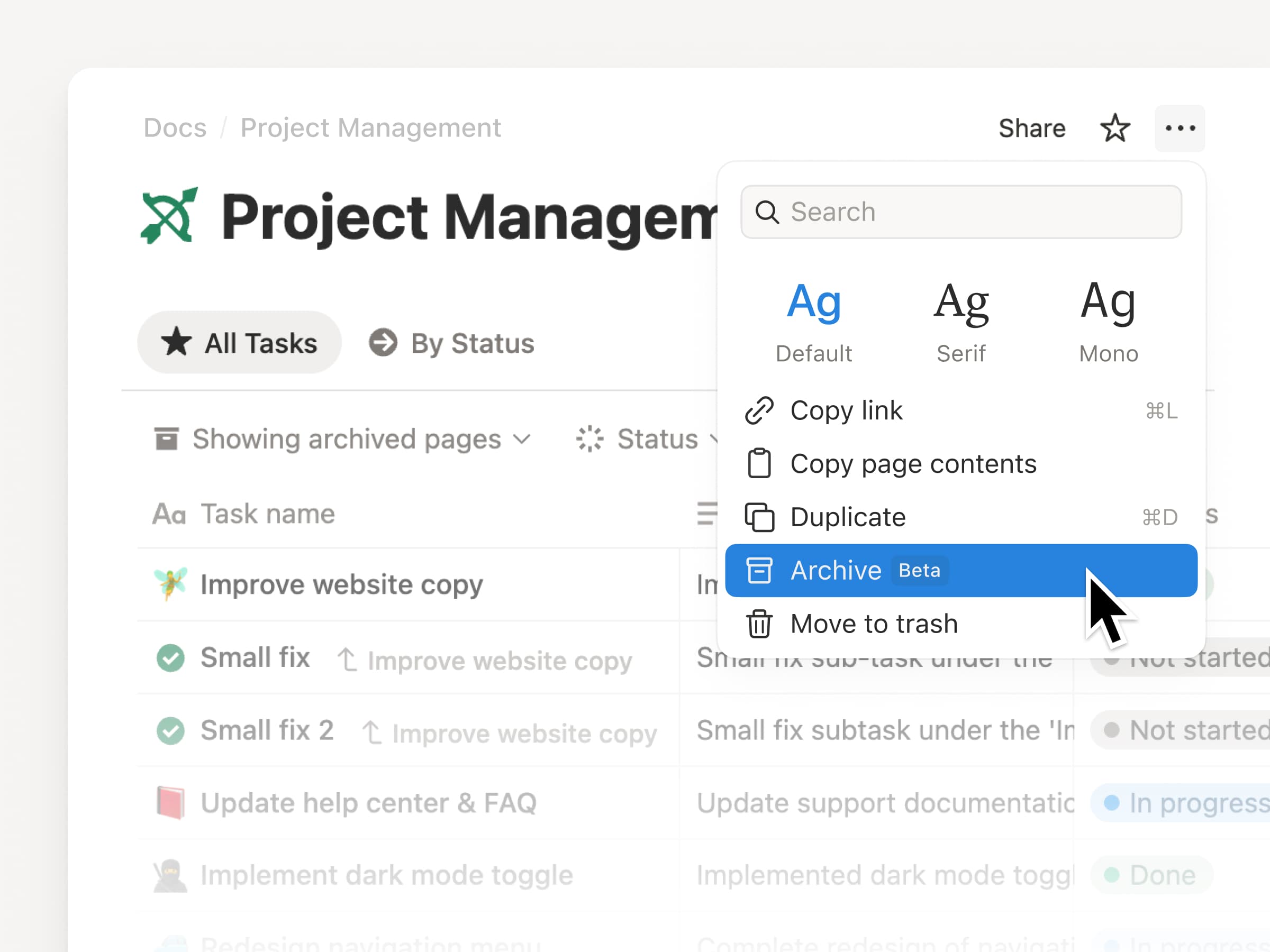
Archive lets you mark pages as outdated to keep your workspace clean and improve your search results.
Archived pages have a banner showing who archived them and when, and they’re hidden from search, the sidebar, and database views by default. Archive a parent page and its sub-pages follow automatically.
To archive, click ••• in the top-right of any page and select Archive.
This month, we have a champagne problem: our engineers are shipping faster than ever, which means Notion 3.4 has too much to cover in a single email.
So let’s start with the fundamentals, like a new dashboard view for your databases, a completely redesigned sidebar (opt-in to try it out!), presentation mode that turns any doc into a slideshow, and a lot more.
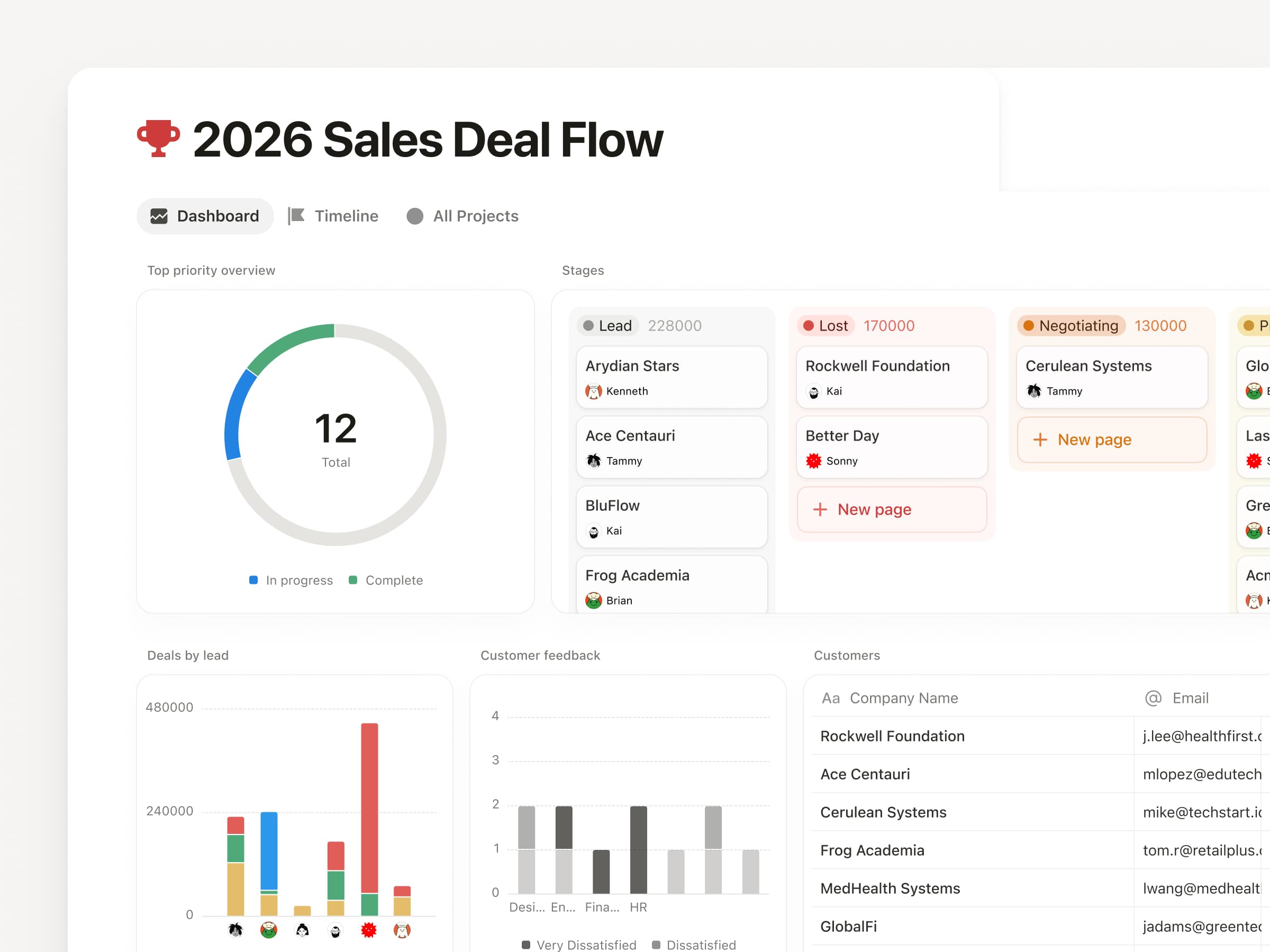
Bring together charts, KPIs, and metrics into one beautiful dashboard, so you can see what’s up and what’s changed. Much easier to create and maintain versus a workaround like a page of linked views.
To get started, try describing the dashboard you want to your Notion Agent. It can build and update for you! Available on Business & Enterprise plans. Learn more →
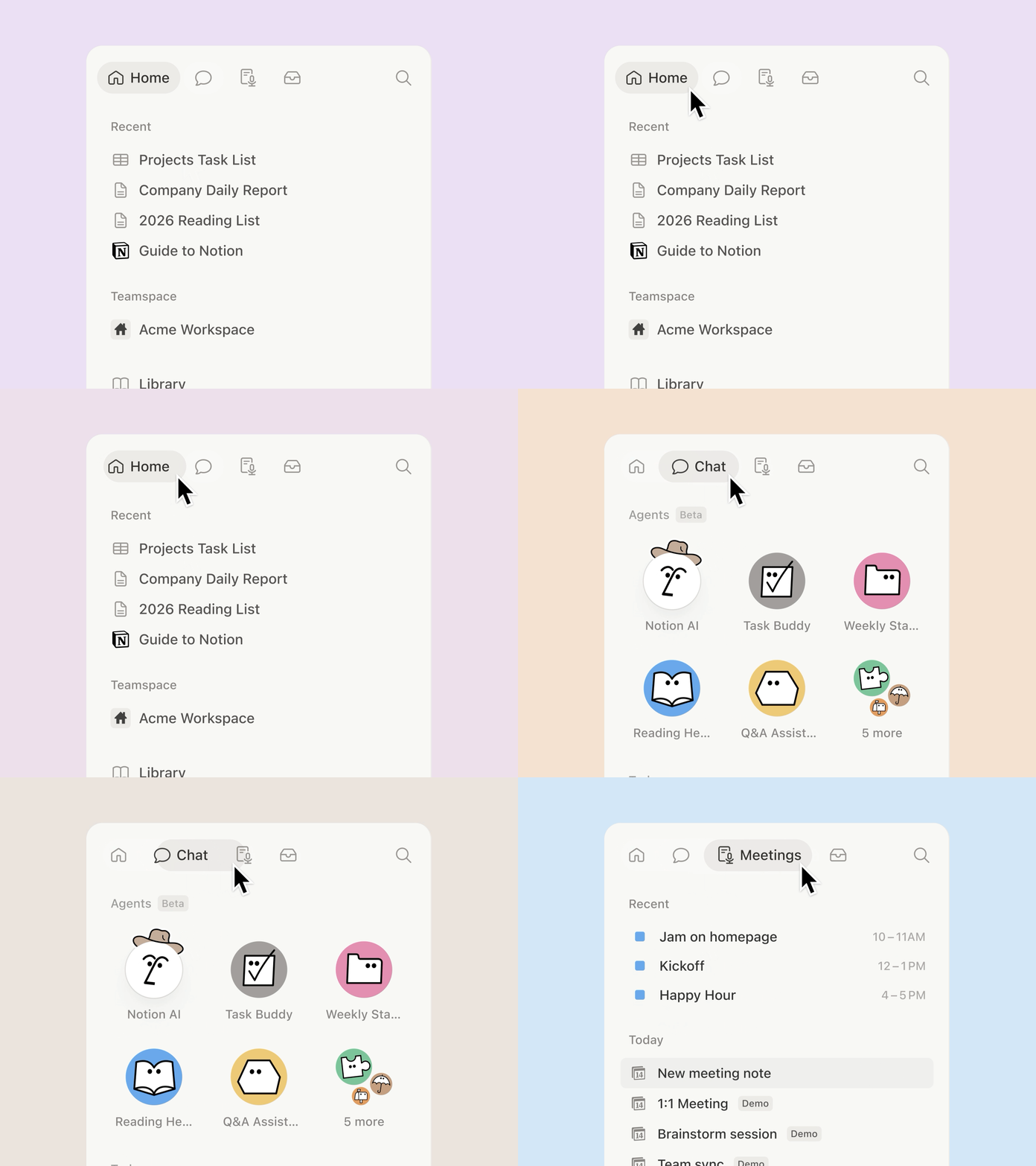
A new sidebar, built for focus
The sidebar was getting far too crowded. So we organized it into four new tabs, with easy access to your pages, agent chats, meetings, and notifications. And it’s way more customizable: you decide which sections to toggle on and off.
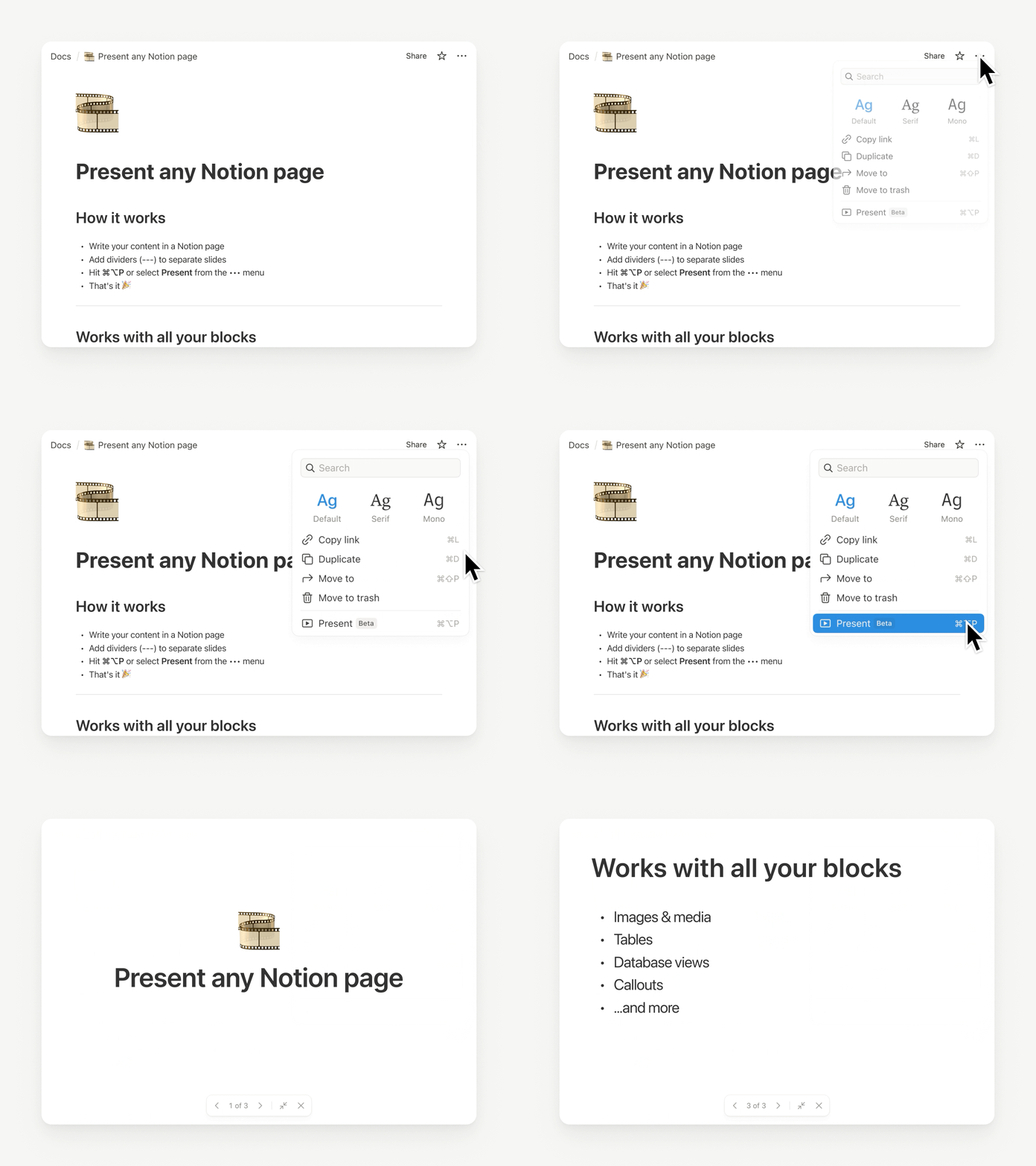
Presentation mode started in a very Notion way: Randy and Cole on our design team woke up one day and decided, “presenting a Notion page should be easy… and fun.” So they built it. Now, you can present directly from a page without having to rebuild your work. Try it with the shortcut ⌘ + opt + p on Mac, or Ctrl + alt + p on Windows.
It’s currently in beta for everyone on Plus, Business, and Enterprise. Check out Randy’s demo.
Here at last: the fabled “tabs” block
Notion HQ had an internal “tabs” block for years, but the secret finally got out. Time to set it free. Now you can organize content into clean, clickable sections, without the maze of subpages. Check it out.
Generate images, charts, slides, diagrams
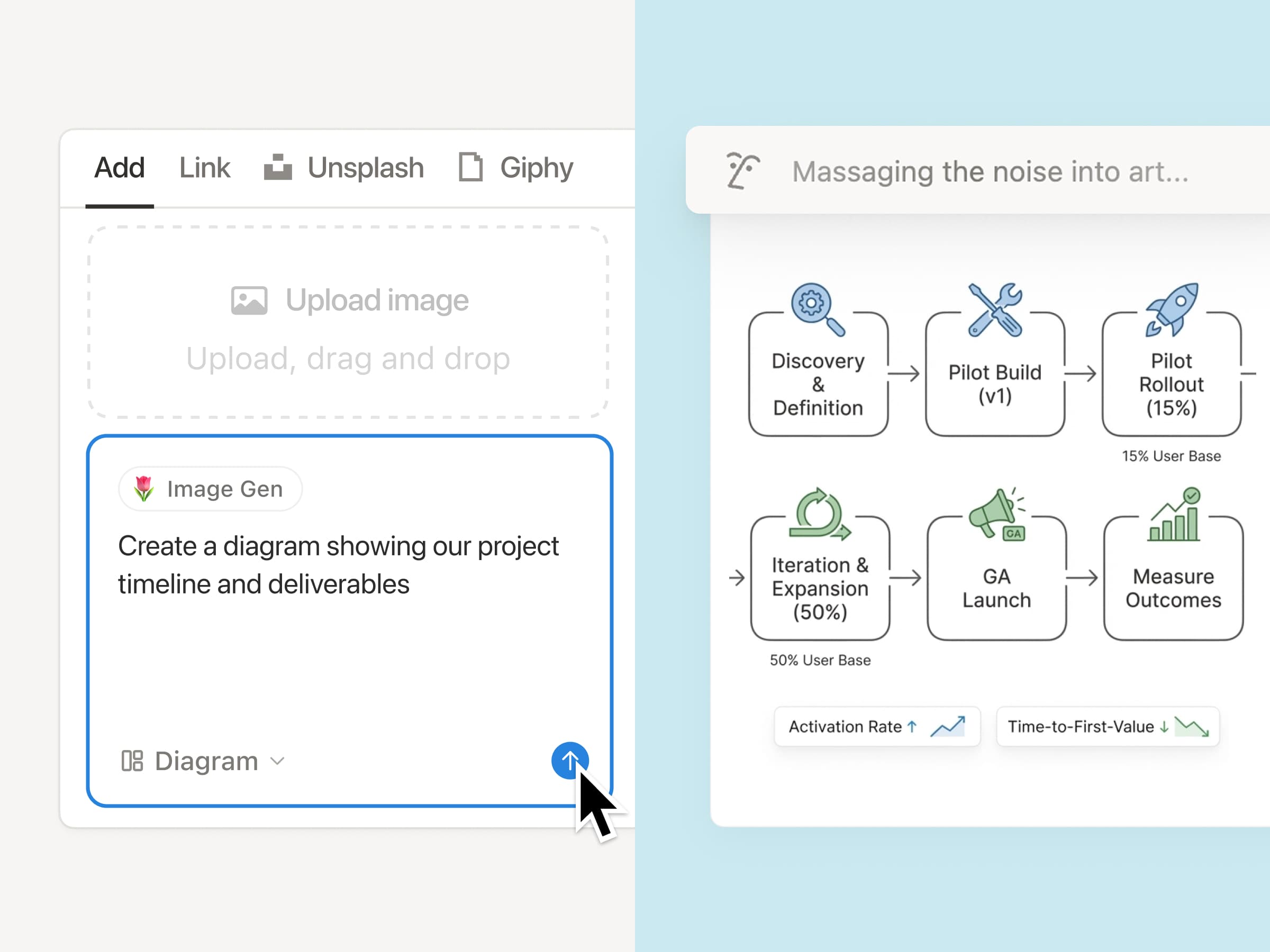
Generate images right where your work lives, so visuals stay connected to the plan, the brief, and the decisions behind them. It’s the Notion way: iterate in context, remix what’s on the page, and turn text into everything from process diagrams to onboarding visuals in seconds. Just ask your agent. Here’s how you can get started.
Archive pages for better search & AI results
Keep your workspace clean as it grows: now you can mark old pages as archived instead of deleting them, so they stay accessible without cluttering search and navigation. Archived pages are hidden from search by default, so they’re a great tool to improve your team’s AI responses.
Markdown Content API: Markdown tools can now read and write Notion directly, which makes integrations simpler and more reliable.
SDK improvements: Integrations are now easier to build and more reliable, with automatic retries, Markdown and Meeting Notes support, and clearer setup warnings, so workflows break less often and ship faster.
Tell us what’s working (and what you want next). We’re building fast.
Cheers,
Ivan
P.S. Notion 3.4 also includes an exciting list of upgrades for Notion AI that are already rolling out now. I’ll send a note about that soon. In the meantime, you can watch this video.
P.P.S. If you’ve been curious about Custom Agents, now’s a good time to try them for free through May 3, 2026. Get started here.
Kỹ năng tùy chỉnh cho phép bạn biến bất kỳ nhiệm vụ AI lặp đi lặp lại nào thành một lệnh dễ sử dụng. Bạn có thể sử dụng kỹ năng tùy chỉnh từ menu chọn văn bản hoặc @đề cập chúng trực tiếp trong cuộc trò chuyện với trợ lý. Vì các kỹ năng được lưu dưới dạng các trang, cả nhóm của bạn có thể cùng sử dụng và xây dựng trên đó.
Để đặt một trang làm kỹ năng, hãy mở menu ··· và chọn Sử dụng với AI → Sử dụng làm kỹ năng AI. Bạn có thể quản lý mọi thứ từ Cài đặt → Notion AI → Chung.
Các video và chương trình chứng nhận của Học viện Notion nay đã ra mắt 6 ngôn ngữ mới: tiếng Tây Ban Nha, tiếng Bồ Đào Nha, tiếng Nhật, tiếng Hàn, tiếng Pháp và tiếng Đức. Điều này có nghĩa là người học trên toàn thế giới giờ đây đã có thể tiếp cận các video, mẫu, bài trắc nghiệm và bài tập mới được bản địa hoá.
Hướng dẫn tùy chỉnh cho phép bạn xác định chính xác cách tính năng Ghi chép cuộc họp với AI tóm tắt nội dung, giúp tạo ra bản tóm tắt hữu ích nhất có thể sau khi cuộc họp kết thúc. Bạn có thể chia sẻ thêm ngữ cảnh về nhóm và dự án của mình để tăng độ chính xác, hoặc xác định các phần, giọng văn và độ dài để định dạng theo ý muốn.
Để bắt đầu, hãy kéo xuống cuối một thành phần nội dung Ghi chép cuộc họp với AI bất kỳ và chọn Hướng dẫn.
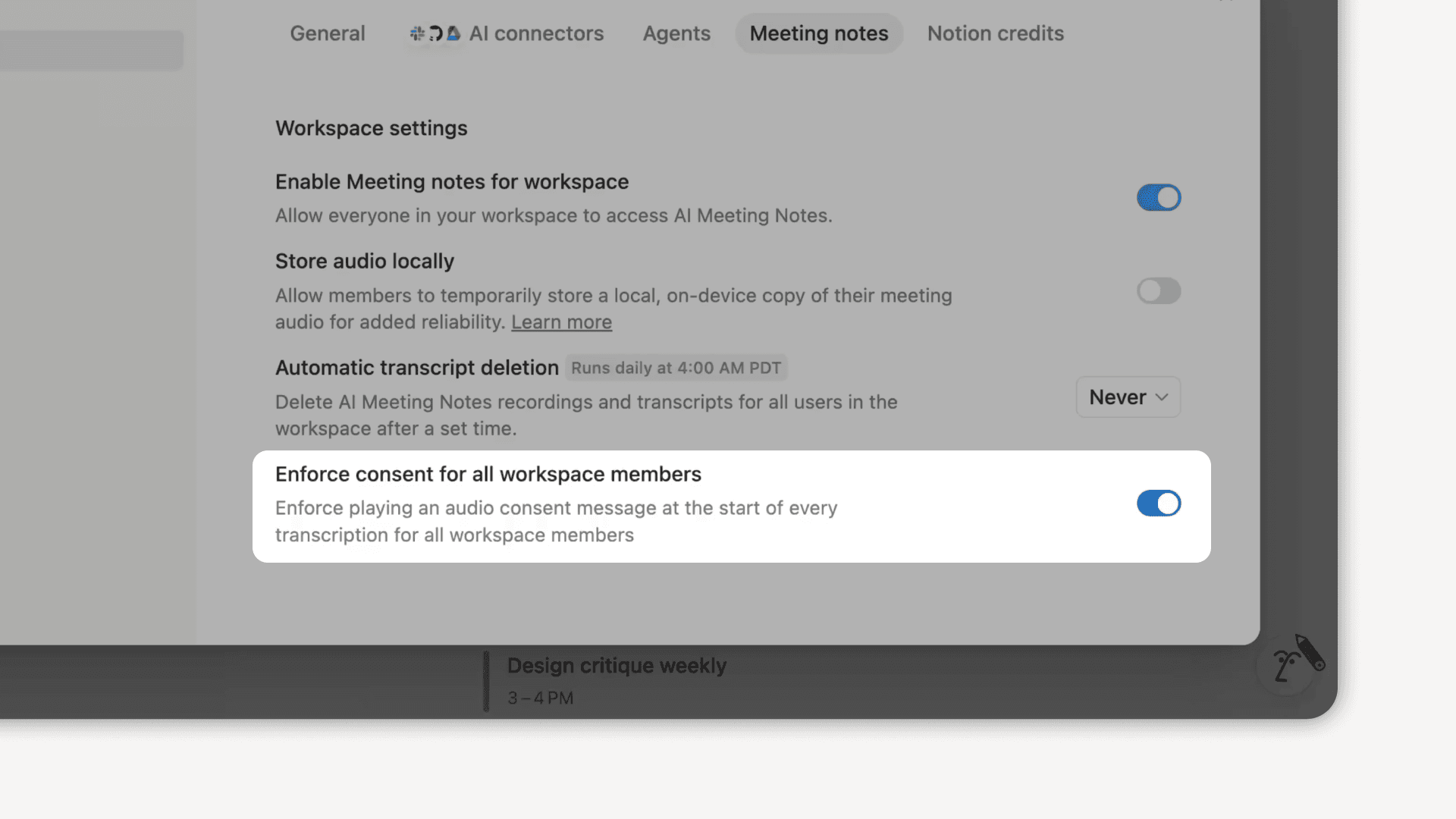
Giờ đây, chủ sở hữu không gian làm việc có thể thiết lập chính sách áp dụng cho toàn bộ không gian làm việc đối với việc yêu cầu chấp thuận sử dụng âm thanh cho tính năng Ghi chép cuộc họp với AI. Khi bật cài đặt này, thông báo xin chấp thuận sẽ tự động phát mỗi khi bắt đầu chép lời để mọi người biết rằng bạn đang sử dụng tính năng Ghi chép cuộc họp với AI.
Quản trị viên có thể cập nhật cài đặt này bất cứ lúc nào bằng cách truy cập Cài đặt → Notion AI → Ghi chép cuộc họp với AI và chọn Bắt buộc tất cả thành viên trong không gian làm việc phải chấp thuận.
Notion AI nay đã có thể tìm kiếm dữ liệu Salesforce của bạn (tài khoản, khách hàng tiềm năng, cơ hội và người liên hệ) cùng mọi thông tin khác trong không gian làm việc của bạn. Bạn có thể đặt câu hỏi về quy trình bán hàng, lịch sử giao dịch hoặc xem tóm tắt nhanh về một người liên hệ mà không cần rời khỏi Notion. Hãy tìm kiếm Trình kết nối AI trong cài đặt Notion AI của bạn để bắt đầu.
Dashboard views are a new database view for better visibility and context. This lets teams (and agents) easily assemble beautiful, glanceable overviews directly on top of their databases. Combine multiple views, KPIs, and key properties into one “control panel” so you can see what matters at a glance and act quickly.
Notion AI can now generate and edit images right on your page. Create cover images, realistic photos, styled charts, diagrams, and slide visuals, then refine them with follow-up prompts until they look just right. Just type /ai image or ask Notion AI in chat.
GPT-5.4 hiện đã có trong trình chọn mô hình của Notion. Đây là mô hình mới nhất và mạnh mẽ nhất của OpenAI cho công việc chuyên môn. Hãy trải nghiệm tốc độ phản hồi nhanh hơn và hiệu suất sử dụng token cao hơn đối với những nhiệm vụ khắt khe nhất của bạn.