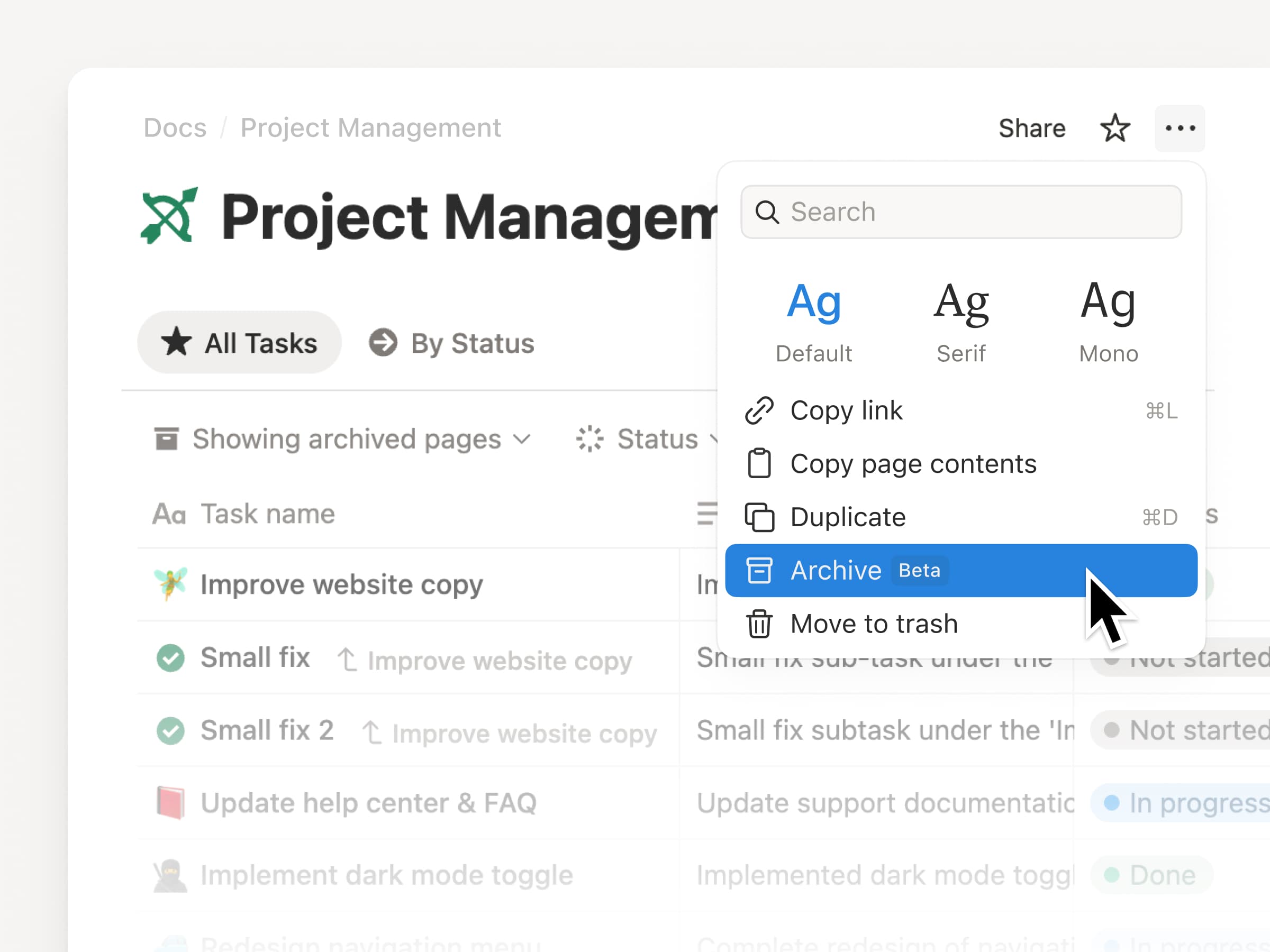
Archive lets you mark pages as outdated to keep your workspace clean and improve your search results.
Archived pages have a banner showing who archived them and when, and they’re hidden from search, the sidebar, and database views by default. Archive a parent page and its sub-pages follow automatically.
To archive, click ••• in the top-right of any page and select Archive.
This month, we have a champagne problem: our engineers are shipping faster than ever, which means Notion 3.4 has too much to cover in a single email.
So let’s start with the fundamentals, like a new dashboard view for your databases, a completely redesigned sidebar (opt-in to try it out!), presentation mode that turns any doc into a slideshow, and a lot more.
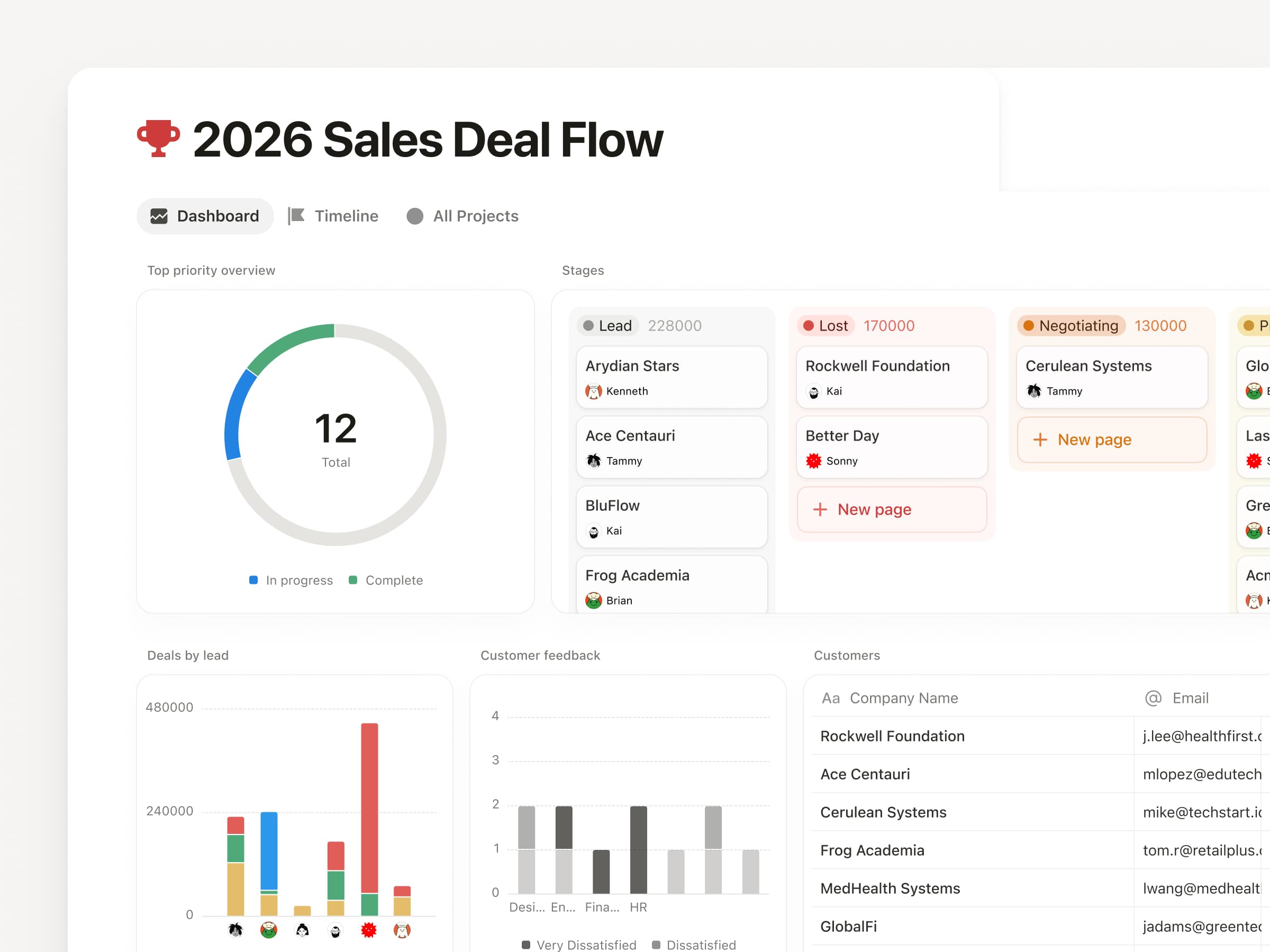
Bring together charts, KPIs, and metrics into one beautiful dashboard, so you can see what’s up and what’s changed. Much easier to create and maintain versus a workaround like a page of linked views.
To get started, try describing the dashboard you want to your Notion Agent. It can build and update for you! Available on Business & Enterprise plans. Learn more →
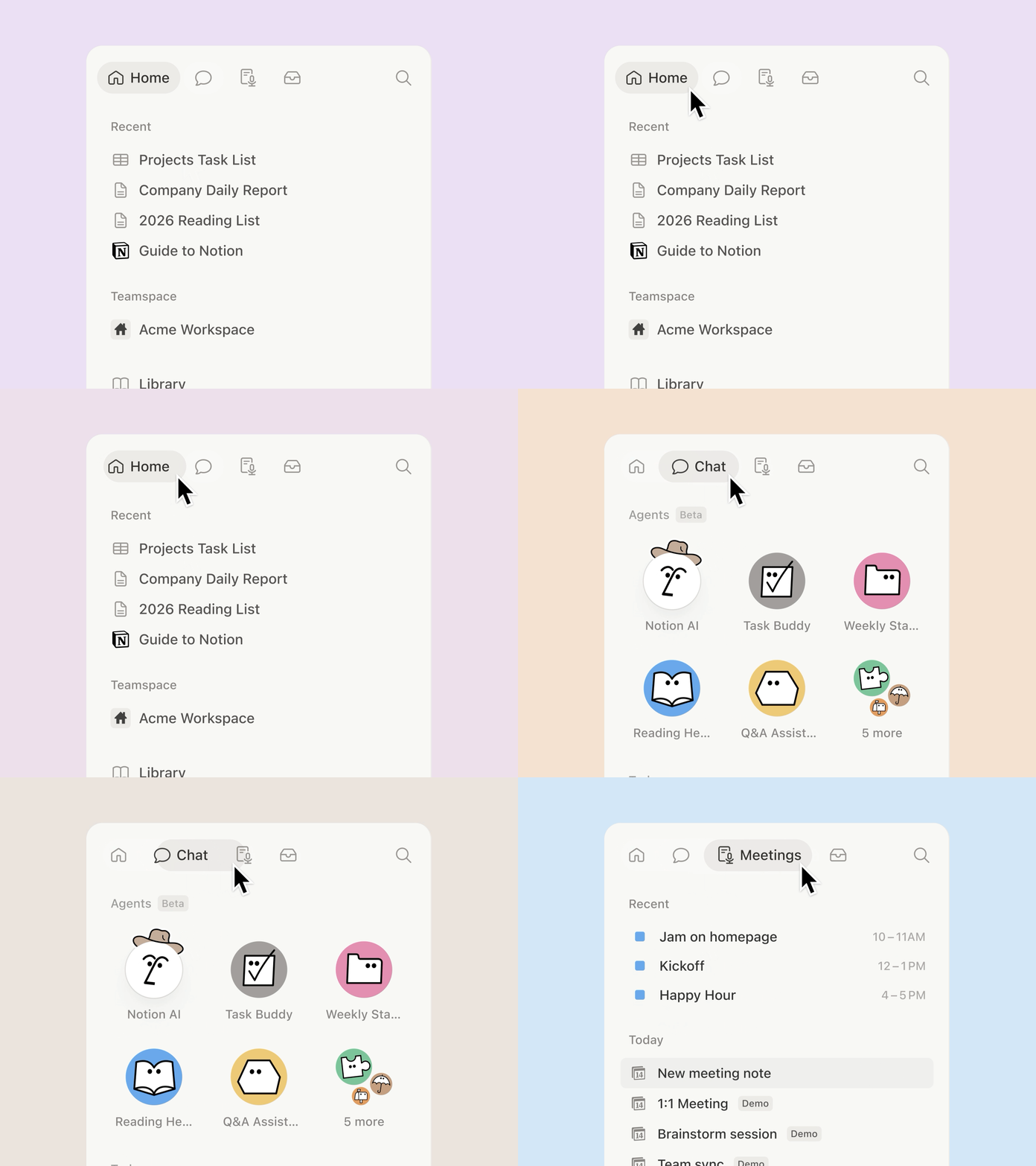
A new sidebar, built for focus
The sidebar was getting far too crowded. So we organized it into four new tabs, with easy access to your pages, agent chats, meetings, and notifications. And it’s way more customizable: you decide which sections to toggle on and off.
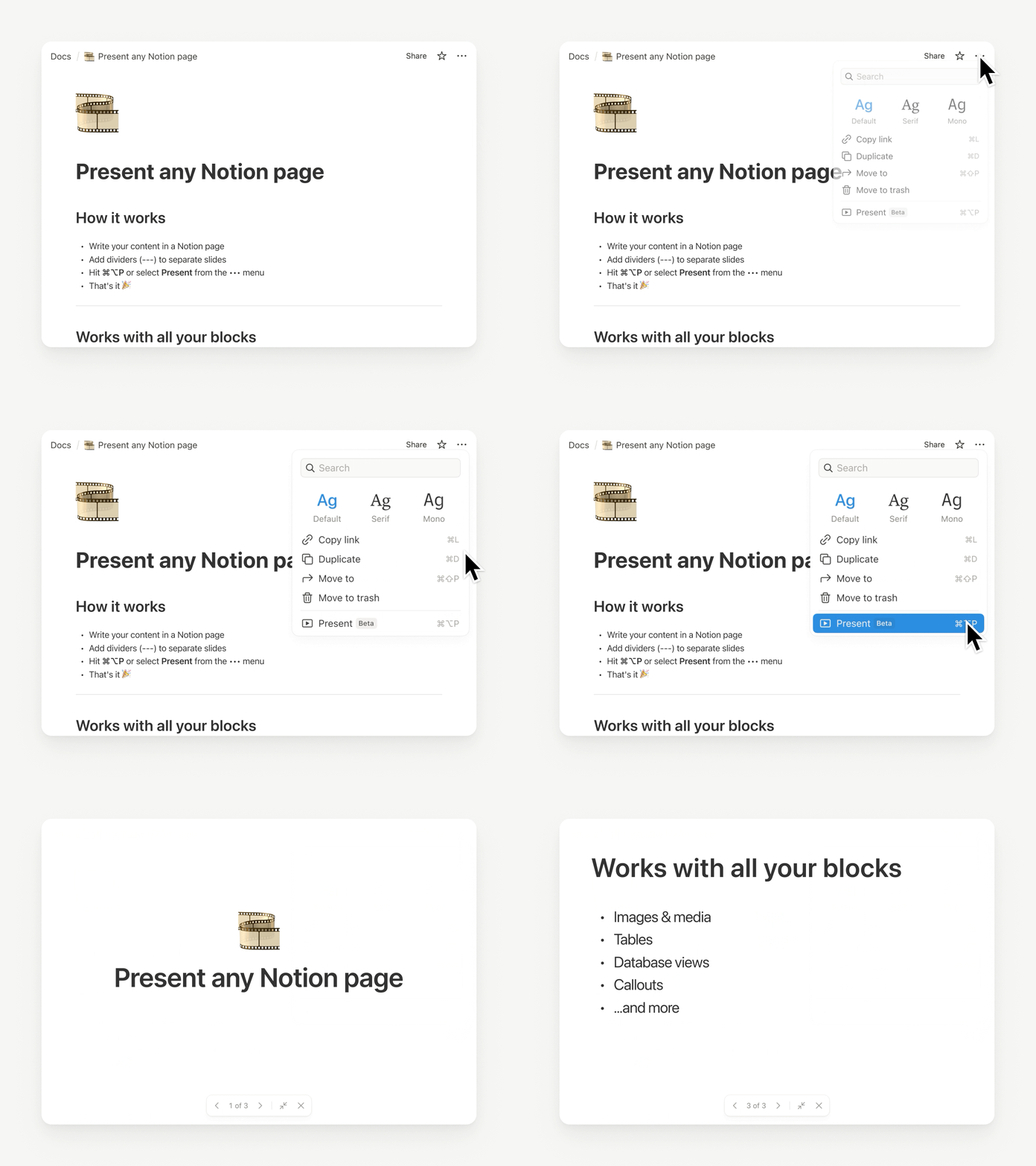
Presentation mode started in a very Notion way: Randy and Cole on our design team woke up one day and decided, “presenting a Notion page should be easy… and fun.” So they built it. Now, you can present directly from a page without having to rebuild your work. Try it with the shortcut ⌘ + opt + p on Mac, or Ctrl + alt + p on Windows.
It’s currently in beta for everyone on Plus, Business, and Enterprise. Check out Randy’s demo.
Here at last: the fabled “tabs” block
Notion HQ had an internal “tabs” block for years, but the secret finally got out. Time to set it free. Now you can organize content into clean, clickable sections, without the maze of subpages. Check it out.
Generate images, charts, slides, diagrams
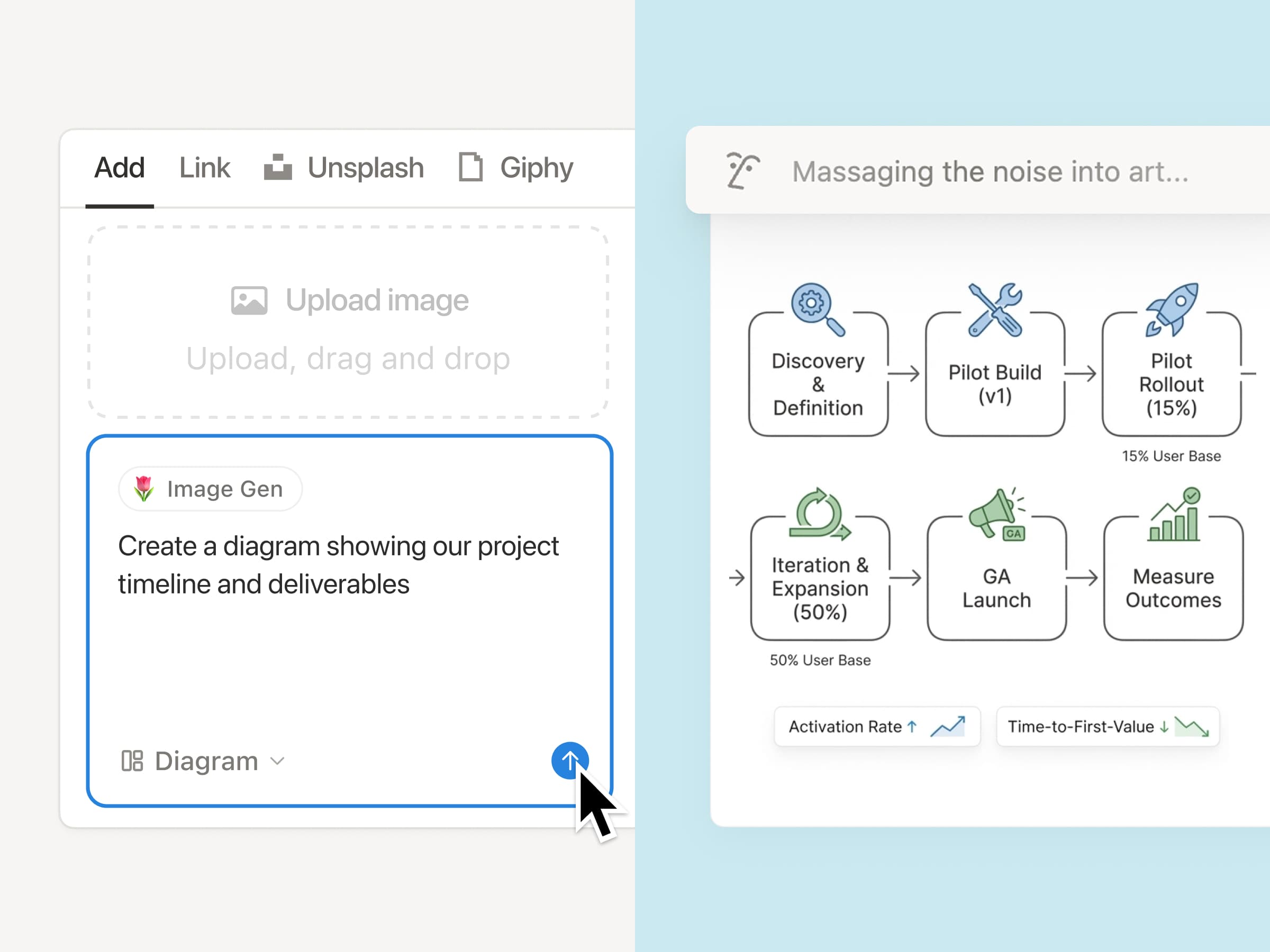
Generate images right where your work lives, so visuals stay connected to the plan, the brief, and the decisions behind them. It’s the Notion way: iterate in context, remix what’s on the page, and turn text into everything from process diagrams to onboarding visuals in seconds. Just ask your agent. Here’s how you can get started.
Archive pages for better search & AI results
Keep your workspace clean as it grows: now you can mark old pages as archived instead of deleting them, so they stay accessible without cluttering search and navigation. Archived pages are hidden from search by default, so they’re a great tool to improve your team’s AI responses.
Markdown Content API: Markdown tools can now read and write Notion directly, which makes integrations simpler and more reliable.
SDK improvements: Integrations are now easier to build and more reliable, with automatic retries, Markdown and Meeting Notes support, and clearer setup warnings, so workflows break less often and ship faster.
Tell us what’s working (and what you want next). We’re building fast.
Cheers,
Ivan
P.S. Notion 3.4 also includes an exciting list of upgrades for Notion AI that are already rolling out now. I’ll send a note about that soon. In the meantime, you can watch this video.
P.P.S. If you’ve been curious about Custom Agents, now’s a good time to try them for free through May 3, 2026. Get started here.
Mit individuellen Fähigkeiten kannst du jede wiederkehrende KI-Aufgabe in einen Befehl umwandeln. Der Zugriff erfolgt entweder über das Menü für die Textauswahl oder direkt per @-Erwähnung im Agent-Chat. Fähigkeiten werden als Seiten konfiguriert, sodass dein gesamtes Team sie gemeinsam verwenden und weiterentwickeln kann.
Um eine Seite als Fähigkeit zu definieren, musst du das im •••-Menü folgende Optionen auswählen: Mit KI verwenden → Als KI-Fähigkeit verwenden. Zum Verwalten navigierst du zu Einstellungen → Notion-KI → Allgemein.
Für Nutzer/-innen mit Business oder Enterprise Plan verfügbar.
Die Videos und Zertifizierungsprogramme der Notion Academy sind jetzt in 6 neuen Sprachen verfügbar – Spanisch, Portugiesisch, Japanisch, Koreanisch, Französisch und Deutsch. Das heißt, dass neu lokalisierte Videos, Vorlagen, Quizze und Übungen weltweit für Lernende verfügbar sind.
Mit individuellen Anweisungen kannst du genau festlegen, wie Smart Notes deine Zusammenfassungen erstellen soll, damit sie dir nach dem Meeting möglichst viel Nutzen bringen. Du kannst Kontextinformationen zu deinem Team und euren Projekten hinzufügen oder Formatvorgaben zu Gliederung, Ton und Länge der Zusammenfassungen definieren.
Um loszulegen, kannst du in der Fußzeile jedes beliebigen Blocks in Smart Notes die Option Anweisungen auswählen.
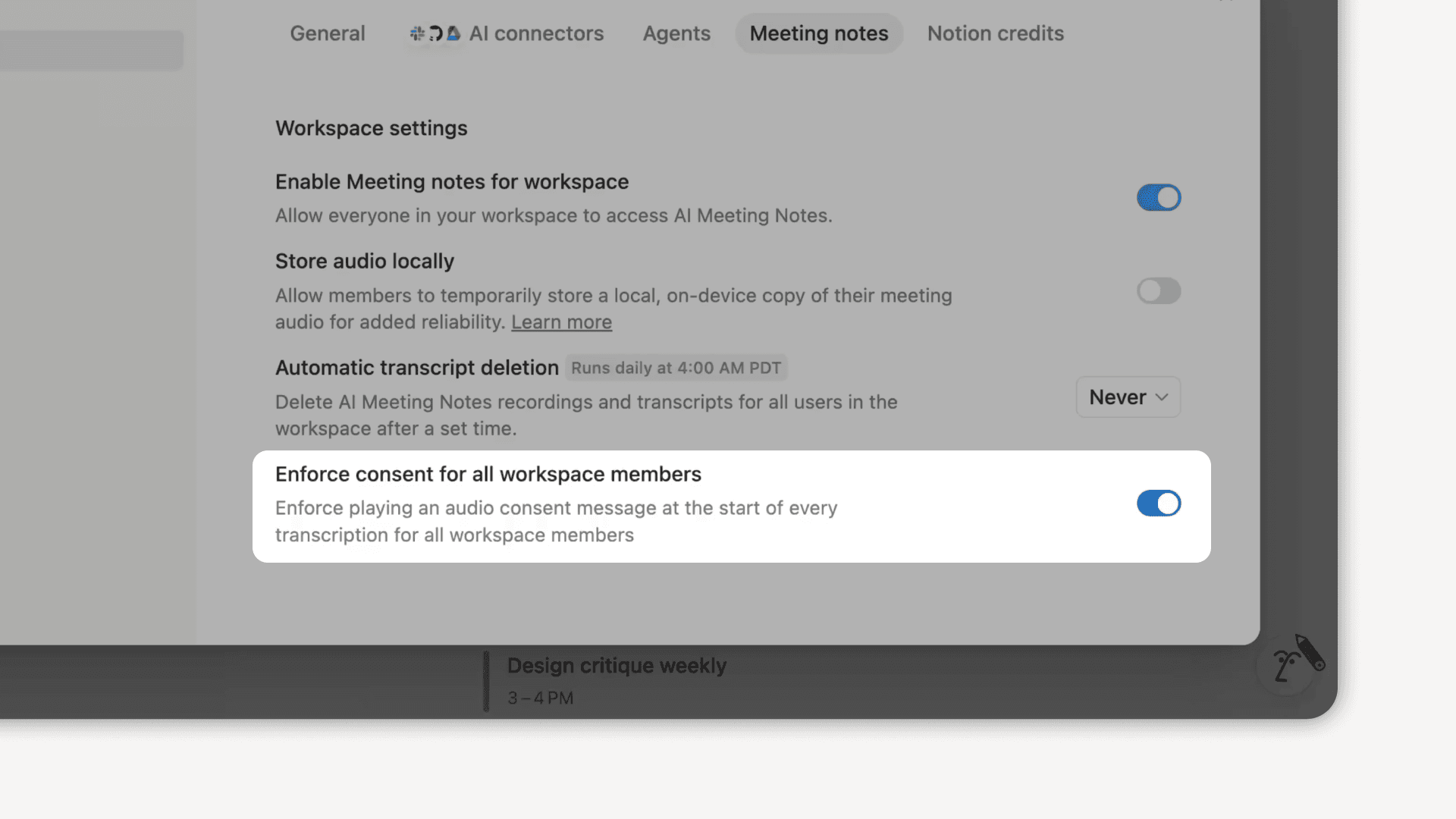
Workspace-Besitzer/-innen können jetzt für den gesamten Workspace eine Richtlinie zur Einholung der Einwilligung für Smart Notes einrichten. Wenn sie aktiviert ist, wird zu Beginn jeder Transkription eine entsprechende Audionachricht abgespielt, damit alle Beteiligten über die Verwendung von Smart Notes informiert sind.
Admins können diese Einstellung jederzeit aktualisieren über Einstellungen → Notion-KI → Smart Notes; Option Zustimmung für alle Workspace-Mitglieder erzwingen auswählen.
Weitere Infos findest du in unserem Hilfe-Center →
Notion-KI kann jetzt deine Salesforce-Daten (Accounts, Leads, Opportunities und Kontakte) zusammen mit allen anderen Inhalten in deinem Workspace durchsuchen. Stelle Fragen zu deiner Pipeline und deinem Dealverlauf oder fordere eine Zusammenfassung zu einem Kontakt direkt in Notion an. So geht‘s: Suche als erstes nach KI-Konnektoren in deinen Einstellungen für Notion-KI.
Weitere Infos findest du in unserem Hilfe-Center →
Dashboard views are a new database view for better visibility and context. This lets teams (and agents) easily assemble beautiful, glanceable overviews directly on top of their databases. Combine multiple views, KPIs, and key properties into one “control panel” so you can see what matters at a glance and act quickly.
Notion AI can now generate and edit images right on your page. Create cover images, realistic photos, styled charts, diagrams, and slide visuals, then refine them with follow-up prompts until they look just right. Just type /ai image or ask Notion AI in chat.
GPT-5.4, das neueste und bislang stärkste Modell von OpenAI für professionelle Anwendungsfälle, ist jetzt in der Modellauswahl von Notion verfügbar. Freu dich auf noch schnellere Antworten und bessere Token-Effizienz für deine anspruchsvollsten Aufgaben.